

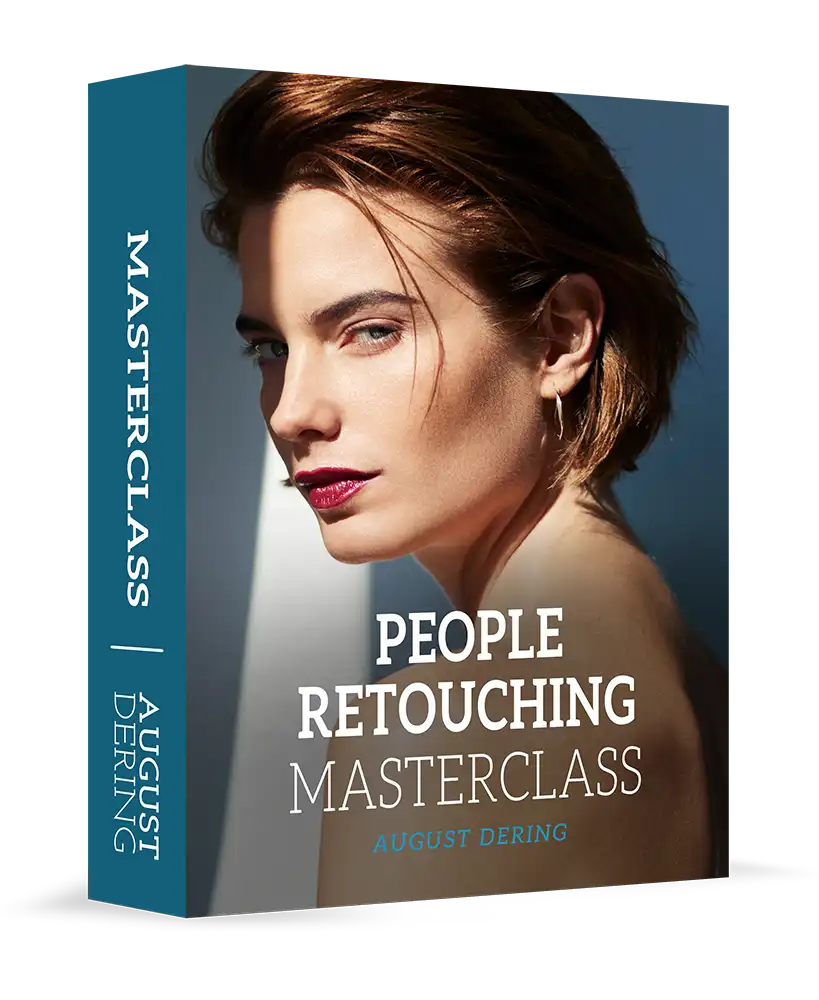

August Dering – People Retouching Masterclass
You Can Do It Too…
I will teach you. I have worked with some of the top brands and magazines in the world, I’ll teach you my complete process to achieve magazine-quality results every time.
My workflow is based on more than 15 years of professional experience. I will show you everything you need to achieve natural-looking portrait retouching every time. Everything is covered from advanced skin smoothing, getting perfect skin tones, reshaping, fixing hair and clothing, and much, much more.

I Have Retouched for Some of the World’s Top Brands and Magazines.


This course is for you if…

You’re intimidated by retouching and feel that it’s too difficult to get consistently good results.

You don’t have a start-to-finish retouching workflow that’s easy to follow and works well.

You struggle to retouch in a way that looks completely seamless, natural, and professional.
People Are Loving This Course!
“Been a professional portrait photographer since 1985. Still learned a great deal from this course. Highly recommend for almost any level of photographer. Learned a bunch of time saving tips, things in Capture One that I never knew were there, and some great photoshop tips. Well worth the money!!!”
-@kenaveryphotographer
“I ordered it – this is detailed! Anyone interested- don’t buy if you think you are going to get a few quick vids and presets and you’re done. This is top level training! Thanks @augustdering – way more detailed than I expected or found on YouTube tutorials- and I thought I knew a thing or two. Ha!”
-@jeanpierreuysphotography
“I’m almost finished [with] the masterclass and it’s great stuff. I’m a professional retoucher working for large commercial brands and I learned some techniques and concepts I haven’t implemented in the ways August practices. Well worth it.”
-Justin DeWalt
You’re One Step Away…
From having the confidence and knowledge to retouch your photos like a pro. My techniques will help you to work quickly and efficiently. Your work will get better and you’ll do it in less time.


Experience
All Levels

Lessons
29

Length
7h 43m

Access
Unlimited
Lessons


Introduction and Getting the Most From This Course
I share my own background in retouching and share some helpful tips to get the most from this course.

Setup
In this lesson, I explain how I set up my Photoshop workspace and some of my favorite shortcuts to dramatically speed up your retouching.

Workflow
I break down my workflow process from start to finish to create a roadmap for the rest of the course. I introduce the concepts of “Baseline Retouching” and “Creative Retouching&rd…

Raw Processing
Learn how to process your raw files to get them ready for retouching in Photoshop. I’ll teach you the most important adjustments to make sure that your files are as good as they can be before…

Image Analysis
Many people struggle with understanding what an image needs in the retouching process. I’ll share some valuable insights and techniques to evaluate your photos to easily identify what needs t…

Shape
Learn several techniques to reshape your subject without disturbing the background.

Skin Cleanup
We’ll look at the initial steps of skin cleanup and skin smoothing. Many techniques are covered including my methods of “Skin Tone Derivative Dodge & Burn” and “Split Si…

Split Size Dodge & Burn
Learn more about my technique of “Split Size Dodge & Burn” to smooth out the contours of your subject’s skin.

Skin Color
Learn several of my favorite techniques to correct color casts and skin redness, as well as some useful techniques to equalize skin tones to achieve consistent results across the entire photograph.

Eyes
The eyes are often the most important part of a portrait. Several techniques are covered to add color and pop to your subject’s eyes without making them look fake.

Teeth and Lips
Learn some great techniques to make your subject’s lips look perfect, and to correct discolored teeth.

Hair
I introduce several techniques to make the subject’s hair look amazing, including a powerful way to add dimensionality and shape.

Fixing Fabric
I’ll share a versatile and powerful way to smooth wrinkles and fix other issues with fabric, a notoriously difficult thing to do using other methods.

Finishing Touches
Put the finishing touches on the first image. Several techniques are introduced including adding extra dimensionality and shape to the subject’s skin and two of my favorite methods to add fil…

Advanced Skin Smoothing, Part 1
In the next photograph, a beauty image from a cosmetics campaign, I’ll teach you a new and powerful technique to speed up the skin smoothing workflow without sacrificing quality.

Advanced Skin Smoothing, Part 2
I introduce another technique to speed up the skin smoothing workflow with “Averaged Lightening and Darkening” using the Close Stamp tool.

Advanced Skin Smoothing, Part 3
Learn how to combine all of the skin smoothing techniques covered so far to achieve perfect results.

Eyes, Lips, and Hair
Review the techniques covered so far and learn some new techniques to make the eyes, lips, and hair look their best.

Creative Retouching
I’ll teach you several techniques to achieve a more harmonious color relationship between subject and background as well as techniques to bring dimensionality and texture to the beauty image.

Fixing Challenging Skin Problems, Part 1
On the next image, this time from a swimsuit campaign, learn my exclusive “Isolated Dust & Scratches” method of fixing challenging skin problems like goosebumps.

Fixing Challenging Skin Problems, Part 2
Learn additional techniques to correct the subject’s goosebumps and fix other skin related issues.

Another Technique for Skin Smoothing
I’ll give you another exclusive technique, the often useful “High Radius Dust & Scratches”, to speed up the skin smoothing on several parts of the model’s skin.

Skin Texture
Learn how to create a layer of paintable texture to ensure that the skin texture is perfect across the entire photograph.

Retouching Men and Correcting Distortion
Learn how to selectively correct perspective distortion on a close-up portrait. I’ll teach you some of my favorite techniques for dramatic color and contrast changes.

Creative Retouching – New Tools for Contrast
In this lesson, you’ll learn a new technique to adjust contrast and more great techniques for creative retouching.

Creative Retouching – B&W Conversion
In this lesson, I’ll teach you a powerful technique to achieve a richly toned black and white portrait.

Reversing the Signs of Aging, Part 1
Review some of the techniques covered so far, and learn how to dramatically reverse the signs of aging. And I will introduce some new steps to speed up your workflow.

Reversing the Signs of Aging, Part 2
We continue with the portrait of the artist, and learn some new techniques to reverse the signs of aging and adjust color and contrast. I explain the concept of “fresh eyes” which is a …

Conclusion
I’ll recap everything I’ve covered in this course. I hope you enjoyed it!
2 reviews for August Dering – People Retouching Masterclass
Only logged in customers who have purchased this product may leave a review.
Related products


Johanna (verified owner) –
They never leave me hanging.
Julia (verified owner) –
Fast and clear communication.