

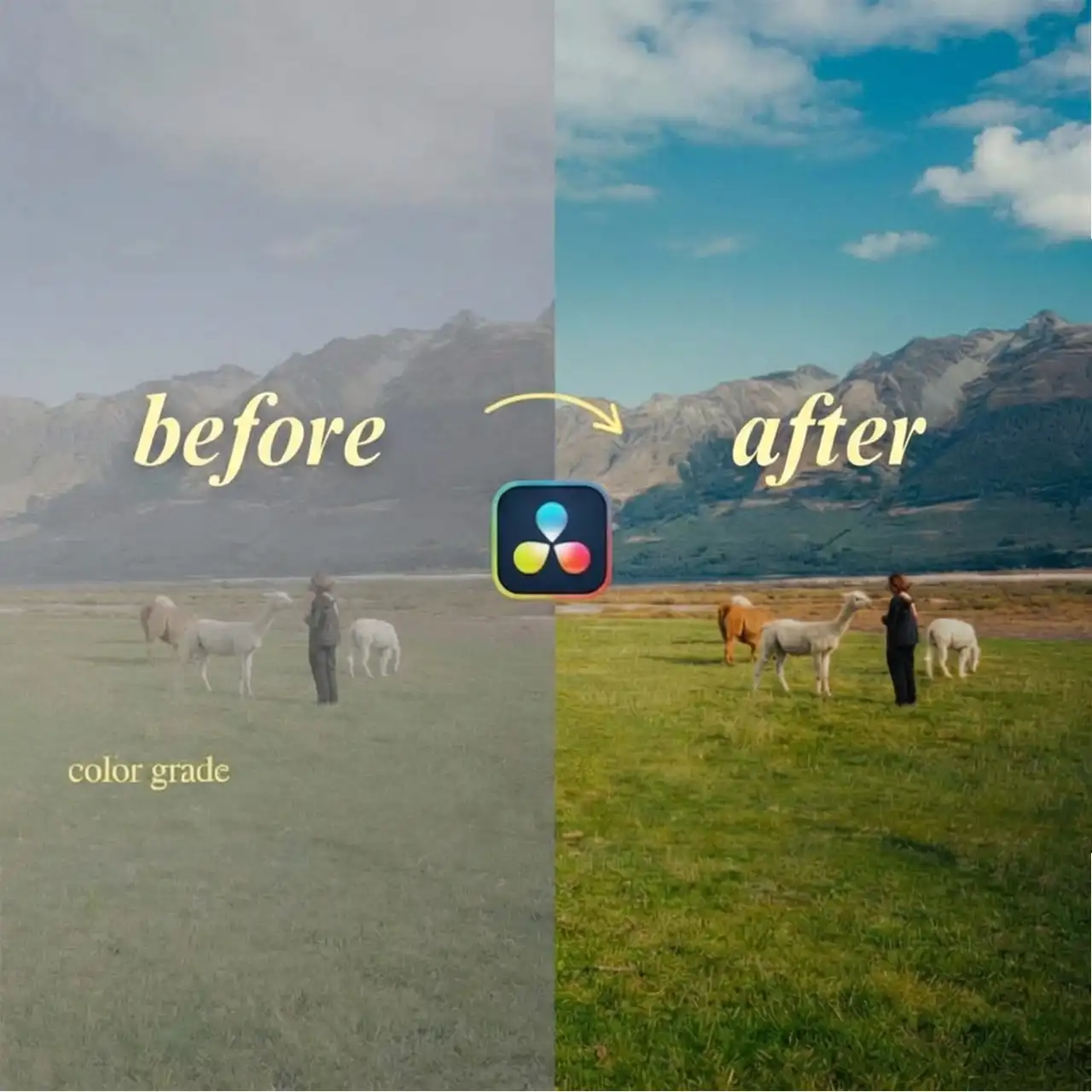
CourseOne™ – Powergrade for Davinci Resolve
You will need DaVinci Resolve to use our power grade. We have a power grade for S Log 3, Rec 709, and D Log M. 💻 How to Use our Power Grade 1. Download files using the link above 2. In the color tab, click on gallery, select PowerGrade, right click to import the downloaded power grade files 3. Right click to apply power grade to your shots. Make sure the correct power grade is applied to the corresponding camera profile 4. Adjust the exposure, contrast, and saturation along with other effects to best match the feel you’re going for If you do not have Davinci Resolve Studio, some of the effects may not be available.
Only logged in customers who have purchased this product may leave a review.
Related products
Sale!

(2)
Original price was: $300.00.$45.00Current price is: $45.00.
Sale!

Sale!

(2)
Original price was: $300.00.$49.99Current price is: $49.99.
Sale!

(3)
Original price was: $699.00.$65.00Current price is: $65.00.
Sale!

(1)
Original price was: $299.00.$35.00Current price is: $35.00.
Sale!

(5)
Original price was: $1,997.00.$49.00Current price is: $49.00.
Sale!


(1)
Original price was: $297.00.$39.99Current price is: $39.99.
Sale!

(3)
Original price was: $500.00.$67.00Current price is: $67.00.
Reviews
There are no reviews yet.